
Appearance
Audit Log
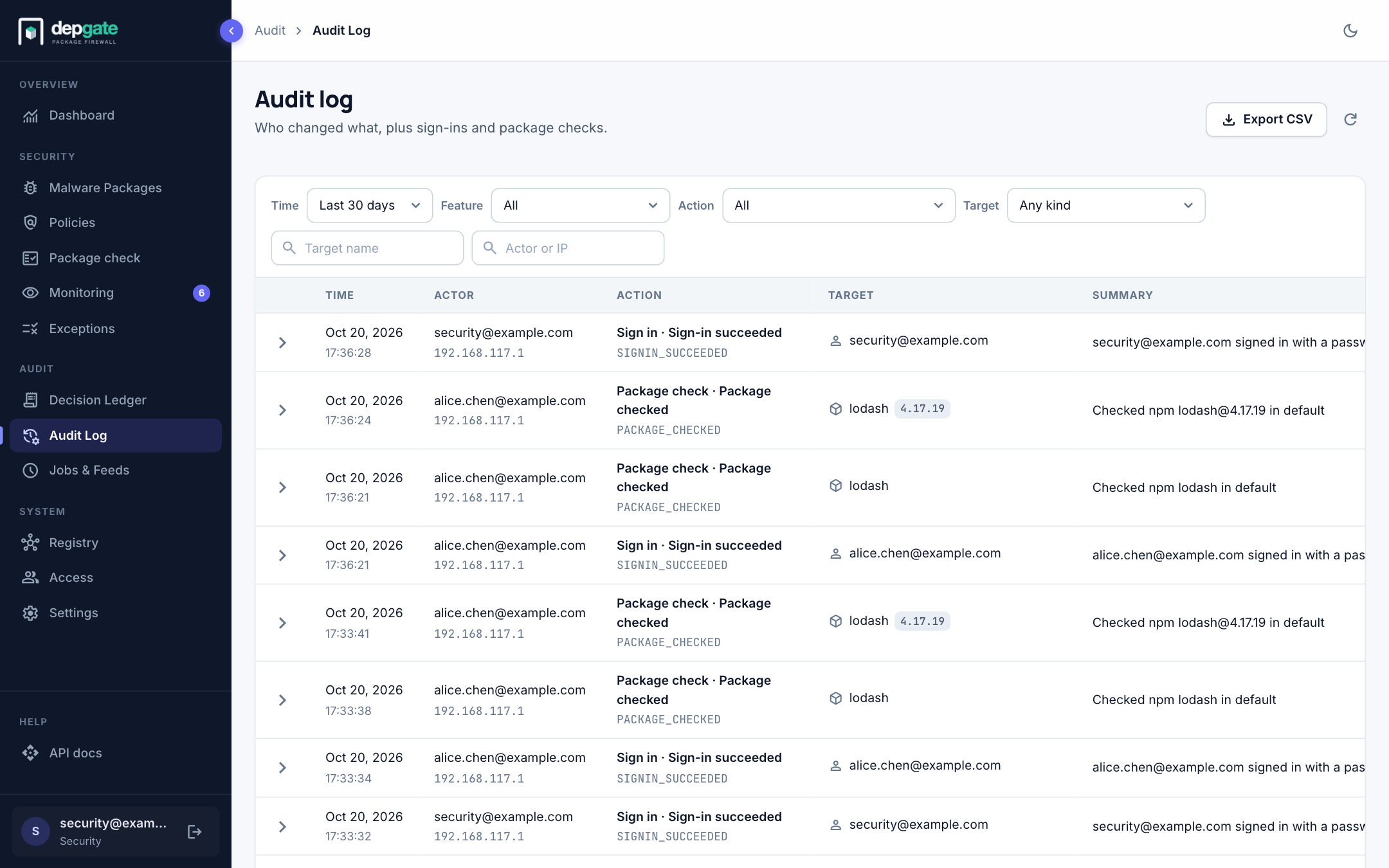
The Audit Log records who changed what in DepGate: policies, exceptions, repositories, people, settings, and every sign-in and package check. Use it to answer "who changed this policy, and when?" or "who signed in from this address?". Refused downloads are in the Decision Ledger.
In the sidebar, choose Audit Log.
What is recorded
Entries are grouped by the page of the web interface they belong to.
| Group | Entries |
|---|---|
| Policies | Policy created, updated (including a change from monitor to enforce) and deleted. |
| Exceptions | Exception added, updated and revoked. |
| Waiver requests | Waiver requested, updated, approved, rejected and deleted. |
| Malware packages | Entry added, updated and deleted; Override · Allow, Override · Block and Override · Custom entry. |
| Package check | Package checked: who checked which package, and what the check found. |
| Namespace protection | Namespace settings changed; Collision found. |
| Sign in | Sign-in succeeded and Sign-in failed, with the method and the reason; Password reset requested, email sent and completed; Invitation accepted; Identity linked, when a person signs in with an identity provider for the first time; Sessions revoked. |
| Access | User created, provisioned (added by single sign-on), deleted, disabled and enabled; Role changed; Invitation resent; Provider created, updated and deleted; Sign-in settings changed; Service account created and revoked; API key created and revoked; CI token created and revoked. |
| Settings | Gateway settings changed; Repository and upstream registry created, updated and deleted; Webhook created, updated and deleted; Mail settings changed; Artifact cache settings changed and Artifact cache purged; Destination created, updated and deleted; Job run requested, retried and discarded. |
Each row shows the time, the actor with their IP address (DepGate when the system acted on its own), the action, the target with its kind and version, and a one-line summary.
View the details
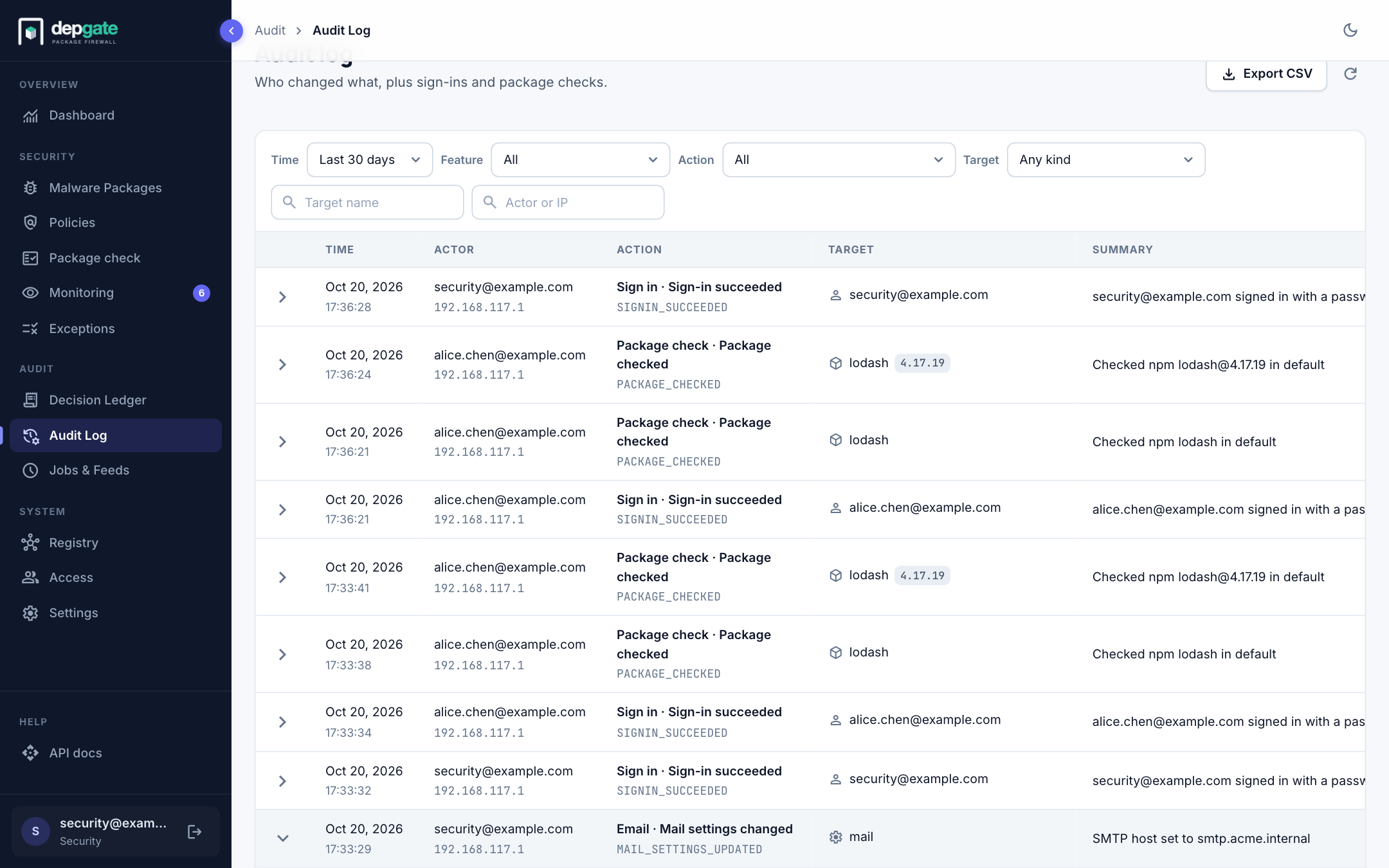
Choose a row to expand it. You see the Reasons, for example why a sign-in failed, the full Details of the change, and the actor's kind, IP address, user agent and authentication method. For an action made with a CI token, the token's metadata is shown too.
Filter and search
| Filter | Use it to |
|---|---|
| Time range | The last 24 hours, 7 days, 30 days (the default), or a custom range of days. |
| Feature | One group from the table above. |
| Action | One kind of entry within the chosen feature. |
| Target | One kind of object: Policy, Exception, Waiver, Malware entry, Package, User, Identity provider, Service account, API key, CI token, Repository, Upstream registry, Webhook, Log streaming destination, Setting or Job. |
| Target name | Part of the object's name, such as a policy name, a package or an email address. |
| Actor or IP | Who made the change, or the address it came from. |
Clear filters returns to the last 30 days.
Export
Choose Export CSV to download the entries that match the current filters. An export stops after 10,000 entries and tells you; narrow the filters for the rest. To send entries to a SIEM as they happen, use Log streaming.
Retention
Entries are kept for two years (AUDIT_RETENTION_DAYS, 730 days by default; 0 keeps them forever). The Ledger and audit retention job removes older entries once an hour. After an upgrade, a banner at the top of the page announces the first purge a week ahead, with the number of entries it will delete.
At most 20 failed sign-ins per minute from one address are recorded; the rest are counted in the depgate_login_audit_dropped_total metric.