
Appearance
Decision Ledger
The Decision Ledger records every download DepGate refused, and why. Use it to answer "who tried to install this version, and which policy stopped it?", or to export blocks for a compliance report. Changes people make in DepGate are in the Audit Log; allowed downloads are counted on the Dashboard.
In the sidebar, choose Decision Ledger.
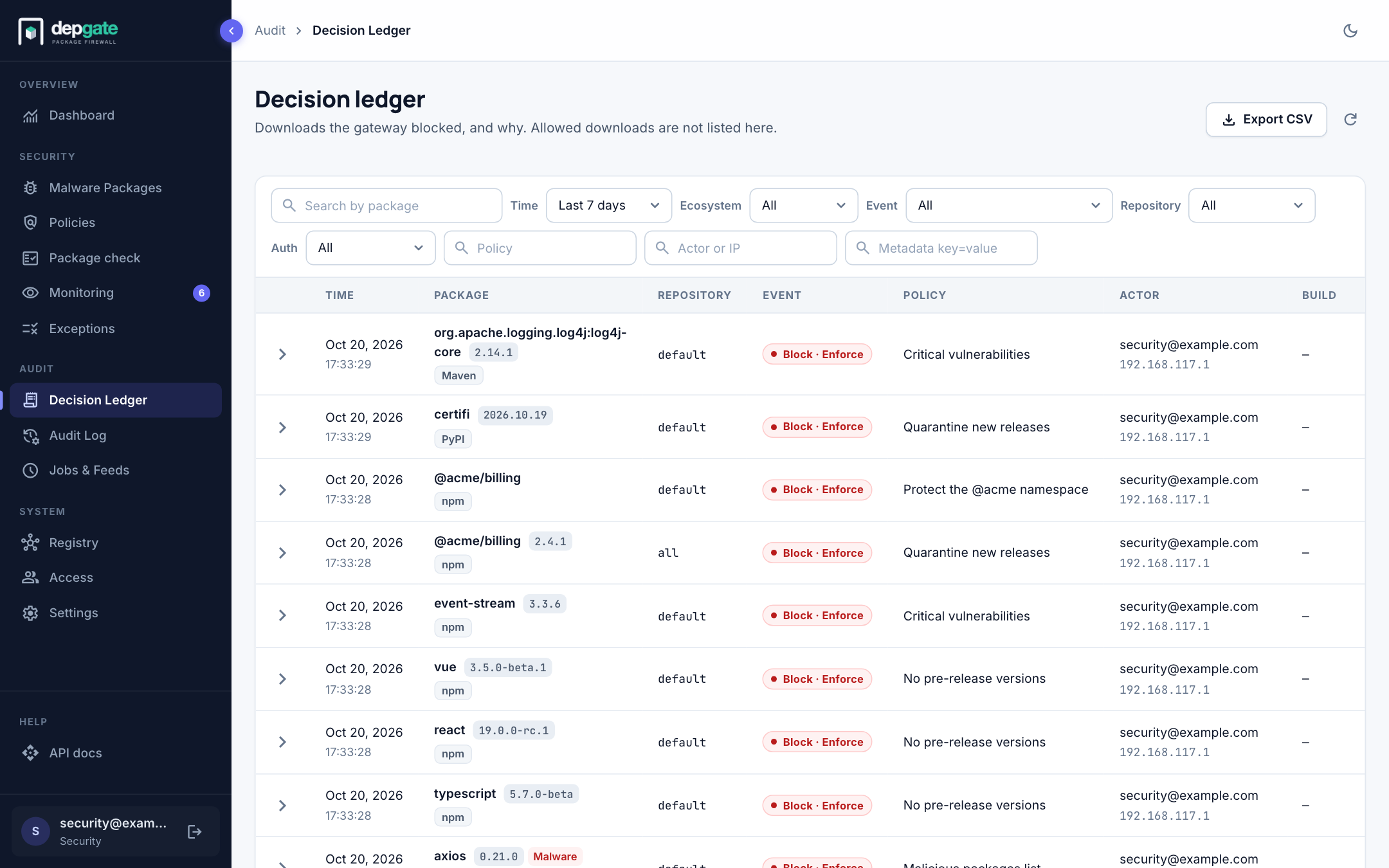
What is recorded
| Event | When |
|---|---|
| Block · Enforce | A policy, the malware list or namespace protection refused a download. |
| Upstream unavailable | The upstream registry timed out or refused the connection, so the client got 502 or 503. |
| Malware | Any request for a package on the malware list, blocked or let through by an override or an exception. The row carries a Malware tag. |
| Allow | Only for malware that was let through. Ordinary allowed downloads are not stored one by one. |
What a policy in monitor mode would have blocked is on the Monitoring page, not here.
Each row shows the time, the package with its version and ecosystem, the repository, the event, the policy that decided, the actor with their IP address, and the Build when a CI token carried build metadata. The actor is a person's email address, a service account, or a CI token's name.
View the details
Choose a row to expand it.
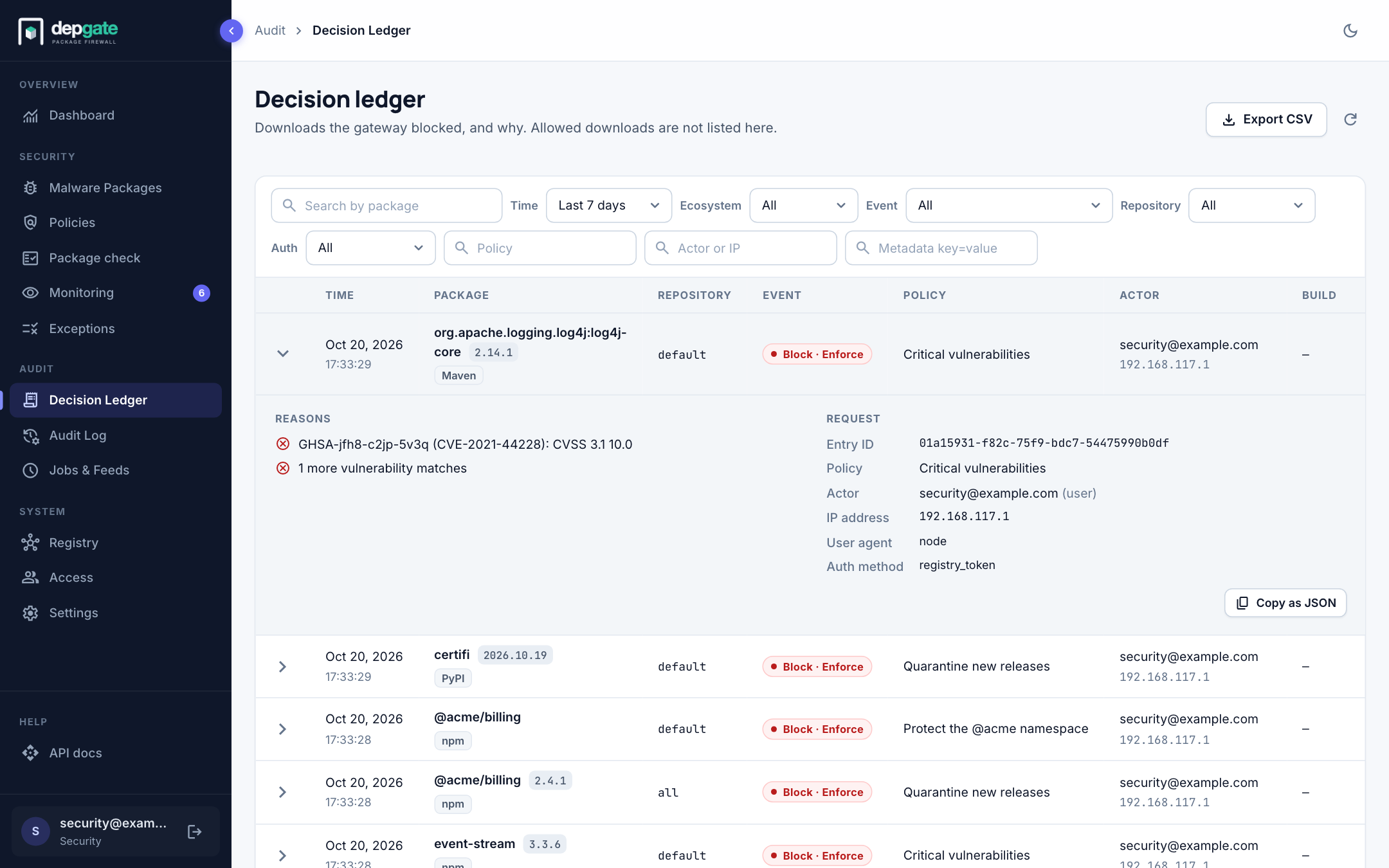
- Reasons: why the version was refused, for example the vulnerability and its CVSS score, or the license that is not approved.
- Request: the entry ID, the policy, the malware entry when one matched, the actor and their kind, the IP address, the client's user agent, how the request authenticated, and the metadata a CI token attached, such as the pull request and build number.
Filter and search
| Filter | Use it to |
|---|---|
| Search by package | Find every decision for one package. |
| Time range | The last 24 hours, 7 days (the default), 30 days, or a custom range of days. |
| Ecosystem | One ecosystem. |
| Event | Block · Enforce, Upstream unavailable, Malware (any outcome) or Allow (malware let through). |
| Repository | Requests through one repository. |
| Auth | How the request authenticated: CI token, API key, Registry token, Password, OIDC or SAML. |
| Policy | Part of a policy name. |
| Actor or IP | An email address, a token name or an IP address. |
| Metadata key=value | CI token metadata, for example pr_number=4821. |
Clear filters returns to the last 7 days.
Export
Choose Export CSV to download the rows that match the current filters. An export stops after 10,000 rows and tells you; narrow the filters for the rest. To send blocks to a SIEM as they happen, use Log streaming or webhooks.
Retention
Rows are kept for 180 days (LEDGER_RETENTION_DAYS; 0 keeps them forever). The Ledger and audit retention job removes older rows once an hour. After an upgrade, a banner at the top of the page announces the first purge a week ahead, with the number of rows it will delete.
Rows are written without delaying the download. If the database is briefly unavailable, a row can be lost; DepGate logs each lost row and counts it in the depgate_ledger_rows_lost_total metric.