
Appearance
Create a policy
This guide walks through creating a policy in the web interface, then gives ready-made recipes for the policies most organizations start with. You need the Security role.
Before you start
Decide three things:
- What should be blocked, in one sentence. For example: "versions with a critical vulnerability". That sentence picks the rule.
- Where it applies: every ecosystem or one, and every repository or some.
- Whether to monitor first. For a rule that covers a whole ecosystem, start in monitor mode and review the impact before you enforce. See Monitor before enforcing.
Step by step
1. Open the form
In the sidebar, choose Policies, then New policy. The form opens on its own page: the settings on the left and a Summary on the right that always shows, in plain words, what the policy will do.
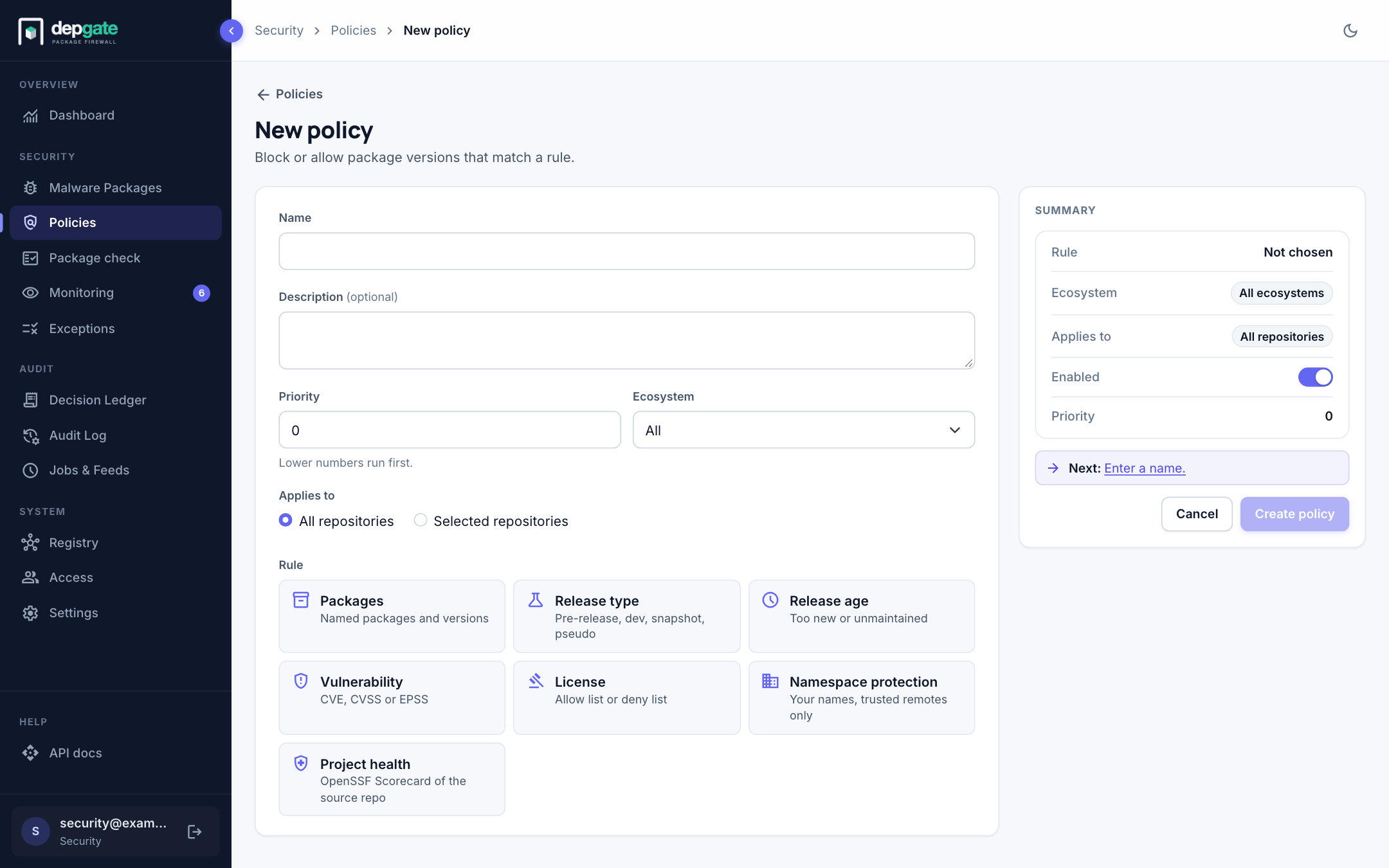
2. Name and describe it
- Name: short and specific, such as
Critical vulnerabilitiesorApproved licenses (PyPI). Developers see it in block messages. - Description (optional): why the policy exists. Reviewers and auditors read it.
3. Set priority and ecosystem
- Priority: lower numbers are evaluated first, and the first matching policy decides. Leave gaps (10, 20, 30) so you can insert policies later.
- Ecosystem: All, or a single ecosystem. Namespace protection always needs a single ecosystem.
4. Choose where it applies
Under Applies to, keep All repositories, or choose Selected repositories and pick the repositories. See Limit a policy to some repositories.
5. Choose the rule
Choose one of the seven rule cards. The form then shows that rule's settings. To pick another rule, choose Change.
6. Choose the action and enforcement
- Action (Packages rule only): Block or Allow. Every other rule blocks.
- Enforcement (Block only): Enforce to block matching versions now, or Monitor only (log, don't block) to record what would be blocked. For broad rules the form recommends monitoring first.
7. Fill in the rule
Enter the rule's settings. For example, for a Vulnerability rule, set CVSS score at least to 7.0. Every option is described in Policy rules.
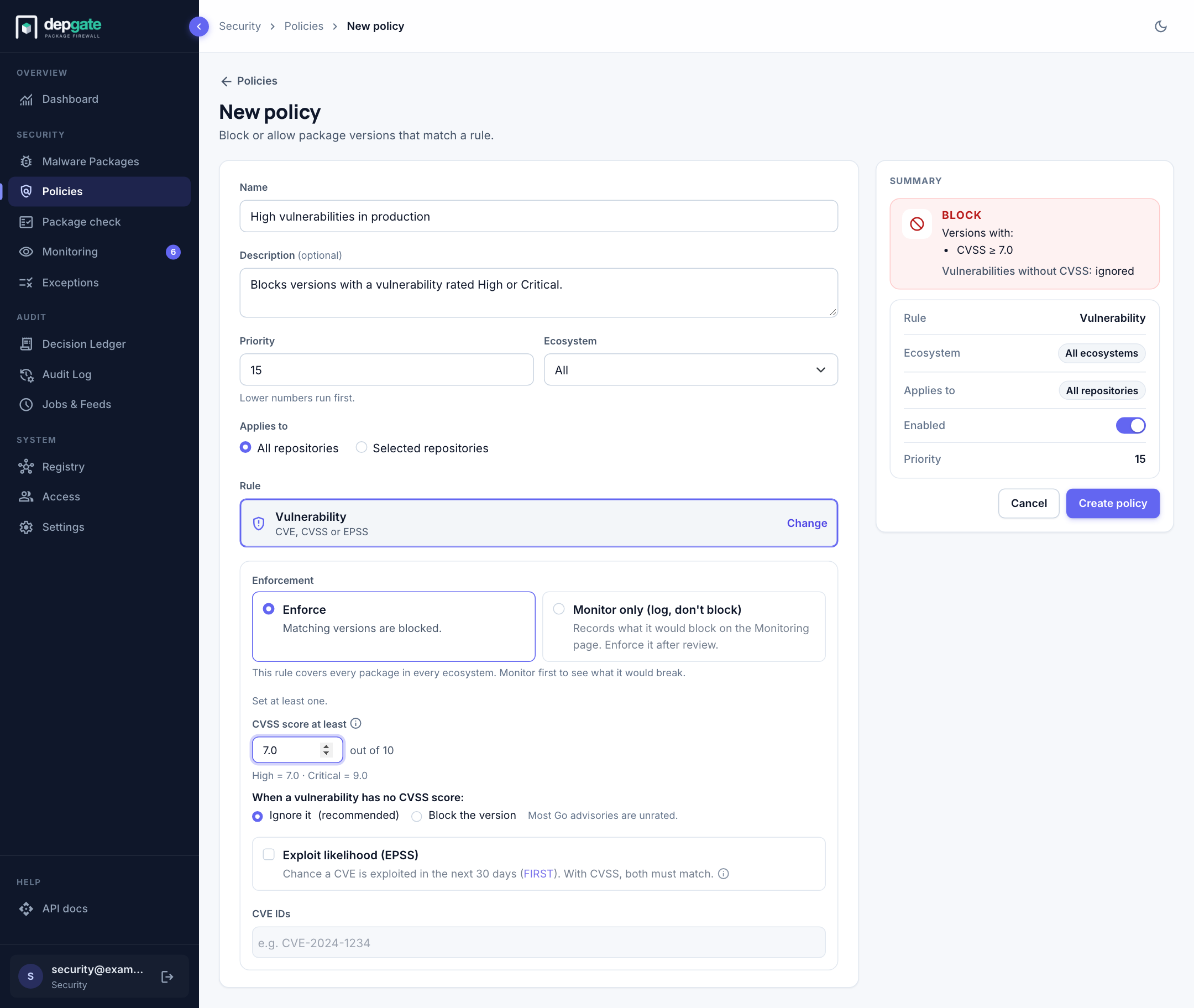
8. Check the summary and create
Read the Summary panel. It states the action ("Block versions with CVSS ≥ 7.0"), how edge cases are handled ("Vulnerabilities without CVSS: ignored"), the ecosystem, the repositories, whether the policy is enabled, and its priority. If something is missing, a Next hint says what to fill in.
Choose Create policy. The policy takes effect within seconds on every DepGate replica.
Test it
Open Package check on a package you know, and confirm the policy blocks the versions you expect. A check never downloads or records anything.
Edit a policy
Choose the pencil icon on the policy's row. The same form opens with the current settings. Choose Update policy to save. If you leave with unsaved changes, DepGate asks whether to discard them.
When you change the rule of a policy in monitor mode, DepGate rechecks everything it recorded against the new rule.
Recipes
These policies cover the most common needs. Create them in monitor mode first where the table says so.
| Goal | Rule | Settings | Start in |
|---|---|---|---|
| Block critical vulnerabilities | Vulnerability | CVSS score at least 9.0 | Enforce |
| Block serious vulnerabilities that are likely to be exploited | Vulnerability | CVSS at least 7.0, and Exploit likelihood (EPSS) at least 10 % | Monitor |
| Block a specific CVE | Vulnerability | CVE IDs: CVE-2021-44228 | Enforce |
| Only approved licenses | License | Block every license except: MIT, Apache-2.0, BSD-2-Clause, BSD-3-Clause, ISC | Monitor |
| Ban network copyleft | License | Block only: AGPL-3.0, SSPL-1.0, BUSL-1.1 | Monitor |
| Cool-down for new releases | Release age | Published less than 72 hours ago | Monitor |
| Block unmaintained packages | Release age | No release in 730 days | Monitor |
| No pre-release builds | Release type | Pre-release, Dev release, Snapshot | Monitor |
| Block a bad version | Packages | lodash, versions 0.0.0 - 4.17.20 | Enforce |
| Always allow your own packages | Packages, Allow | @acme/* (priority lower than your Block policies) | Enforce |
| Stop dependency confusion | Namespace protection | @acme, acme-* (ecosystem npm) | Monitor |
| Require healthy projects | Project health | Overall Scorecard at least 3 | Monitor |
Example: Approved licenses only
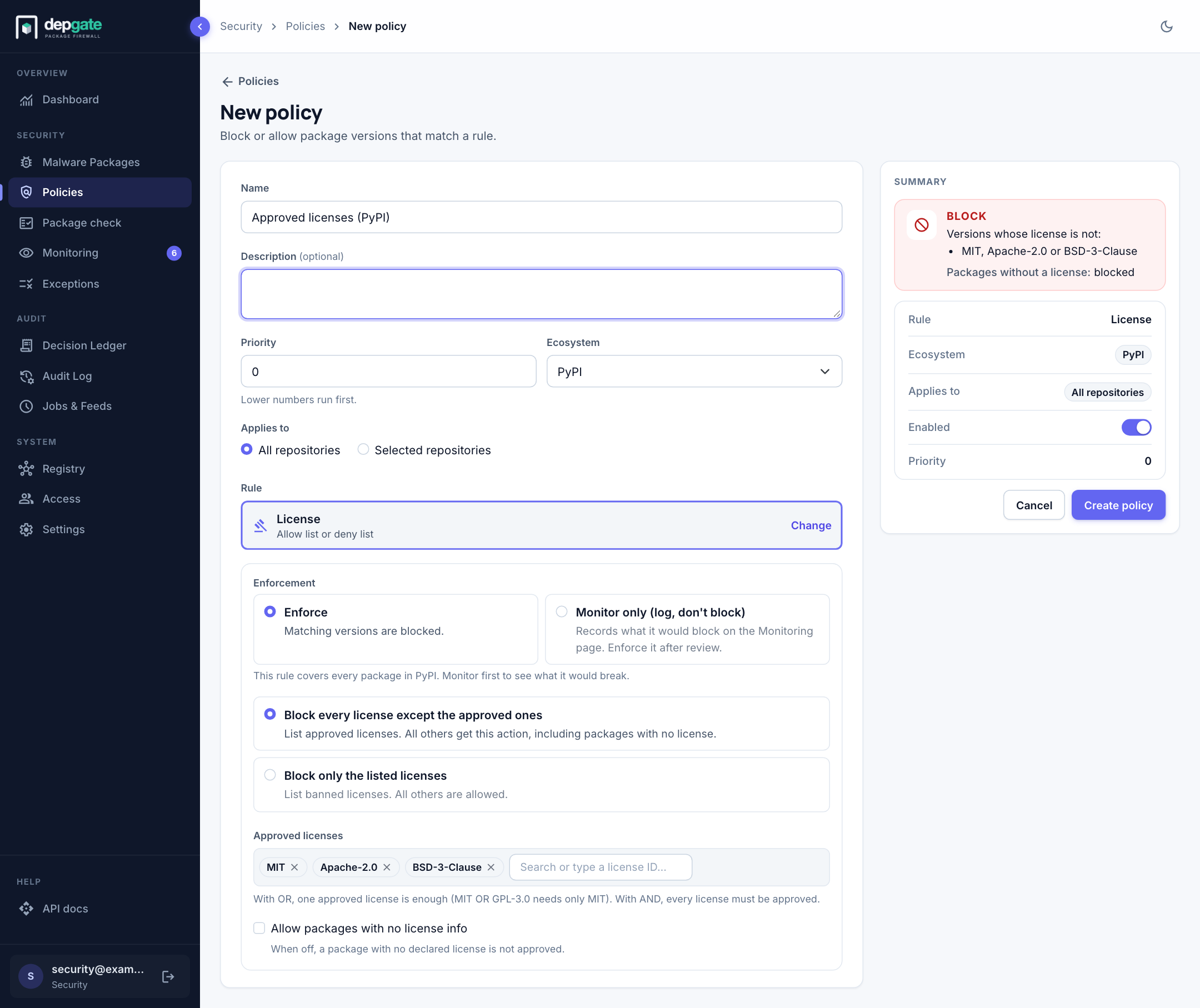
- Name:
Approved licenses (PyPI). Ecosystem: PyPI. - Rule: License. Enforcement: Monitor only.
- Choose Block every license except the approved ones.
- Under Approved licenses, search for and add
MIT,Apache-2.0andBSD-3-Clause. - Leave Allow packages with no license info off, so packages without a declared license are reviewed too.
- Choose Create policy, then review the results on the Monitoring page after a few days of traffic.
Example: Protect your internal names
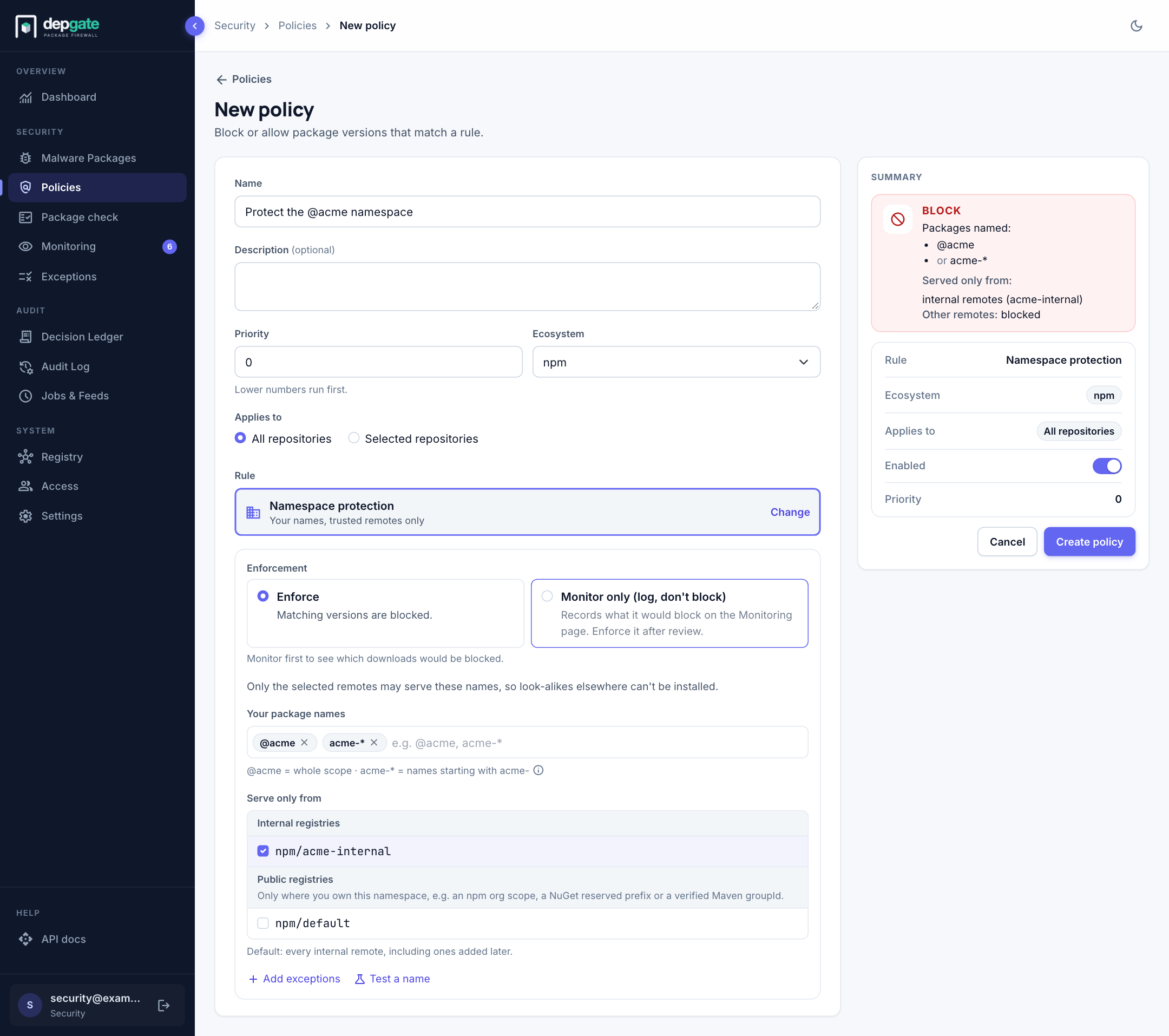
- Name:
Protect the @acme namespace. Ecosystem: npm. - Rule: Namespace protection.
- Under Your package names, add
@acmeandacme-*. - Under Serve only from, keep your internal registries selected.
- Use Test a name to confirm a name resolves where you expect.
- Choose Create policy.
Namespace protection explains the rollout in detail.