
Appearance
Jobs and data feeds
DepGate keeps its threat and vulnerability data up to date, sends webhooks and email, and removes old records with background jobs. Settings → Jobs (Security role) shows their queues and schedules; Jobs & Feeds in the sidebar lists every run.
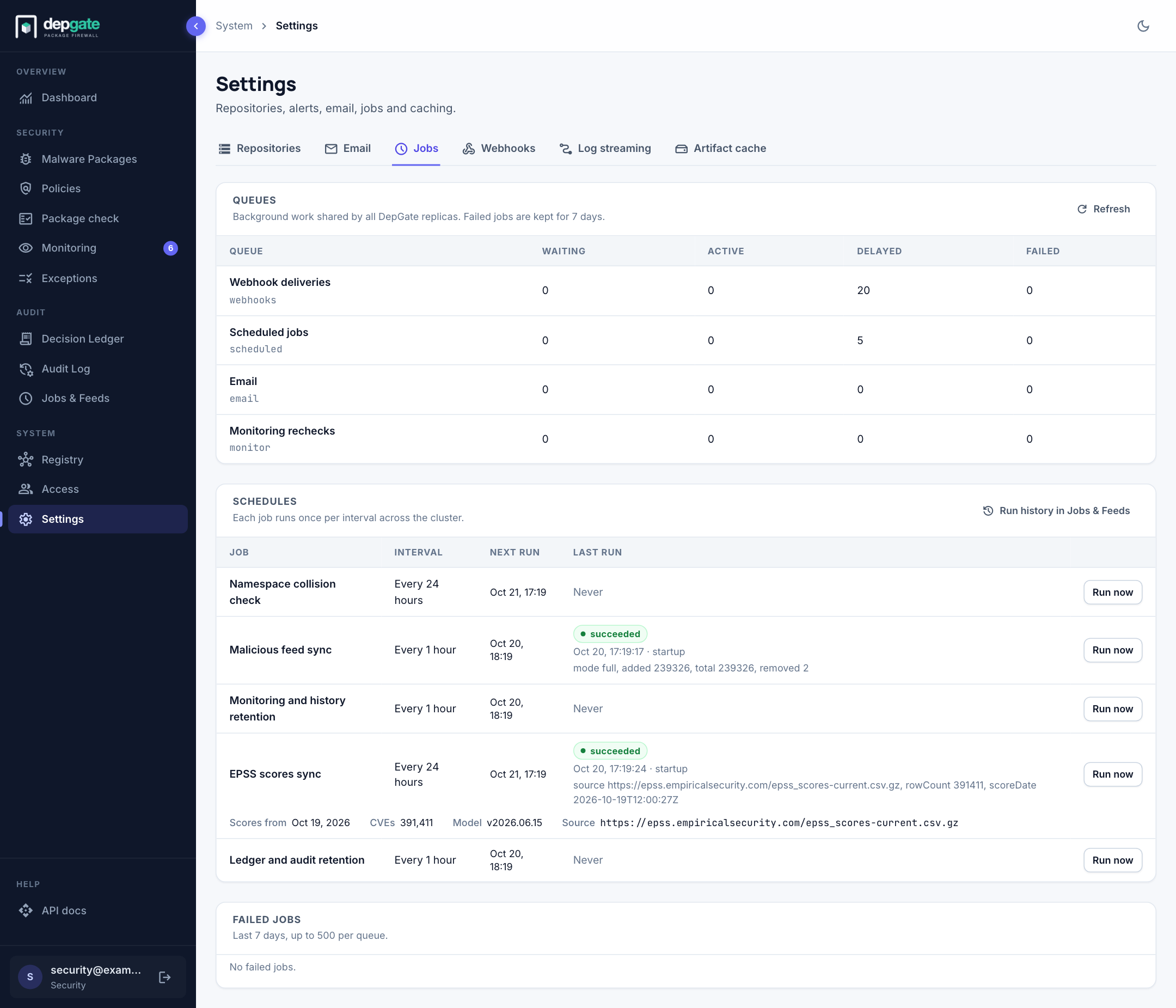
Queues
Work shared by every DepGate replica:
| Queue | Holds |
|---|---|
| Webhook deliveries | Events waiting to be sent or retried. |
| Scheduled jobs | The scheduled jobs below. |
| Invitation and password reset emails. | |
| Monitoring rechecks | Re-evaluation of recorded downloads after a monitoring policy's rule changes. |
Each row shows the number of waiting, active, delayed and failed jobs. Completed jobs are removed at once.
If the job queue is unavailable, the page says so. Package downloads keep working, and webhooks and email are sent directly instead of through the queue.
Schedules
| Job | Interval | Does |
|---|---|---|
| Malicious feed sync | Every hour (MALICIOUS_SYNC_INTERVAL_HOURS) | Updates the malware list. |
| EPSS scores sync | Every 24 hours (EPSS_SYNC_INTERVAL_HOURS) | Downloads the EPSS exploit-likelihood data. |
| Monitoring and history retention | Every hour | Removes old monitoring rows, webhook deliveries and job history. |
| Ledger and audit retention | Every hour | Removes Decision Ledger and Audit Log entries older than their retention. |
| Namespace collision check | Every 24 hours | Runs only while the collision check is turned on. |
Each job runs once per interval for the whole installation, whatever the number of replicas. The table shows the next run and the result of the last run. Choose Run now to queue a run immediately; Run history in Jobs & Feeds opens every run.
EPSS data
Under EPSS scores sync, a second row shows the data used by Vulnerability policies: the date of the scores, how many CVEs are scored, the model version and where the file came from.
DepGate downloads the full EPSS file once a day and stores it locally; policies never call an external service during a download. If the file cannot be downloaded, DepGate keeps the last good data and tries a backup source, marked GitHub backup. A note under the row and a banner on the Policies page warn when the data is older than 72 hours (EPSS_STALE_AFTER_HOURS).
Failed jobs
Jobs that failed in the last 7 days are listed with their error, up to 500 per queue. Choose Retry to run one again, or Discard to remove it.
Run history
In the sidebar, choose Jobs & Feeds to see what the scheduled jobs did.
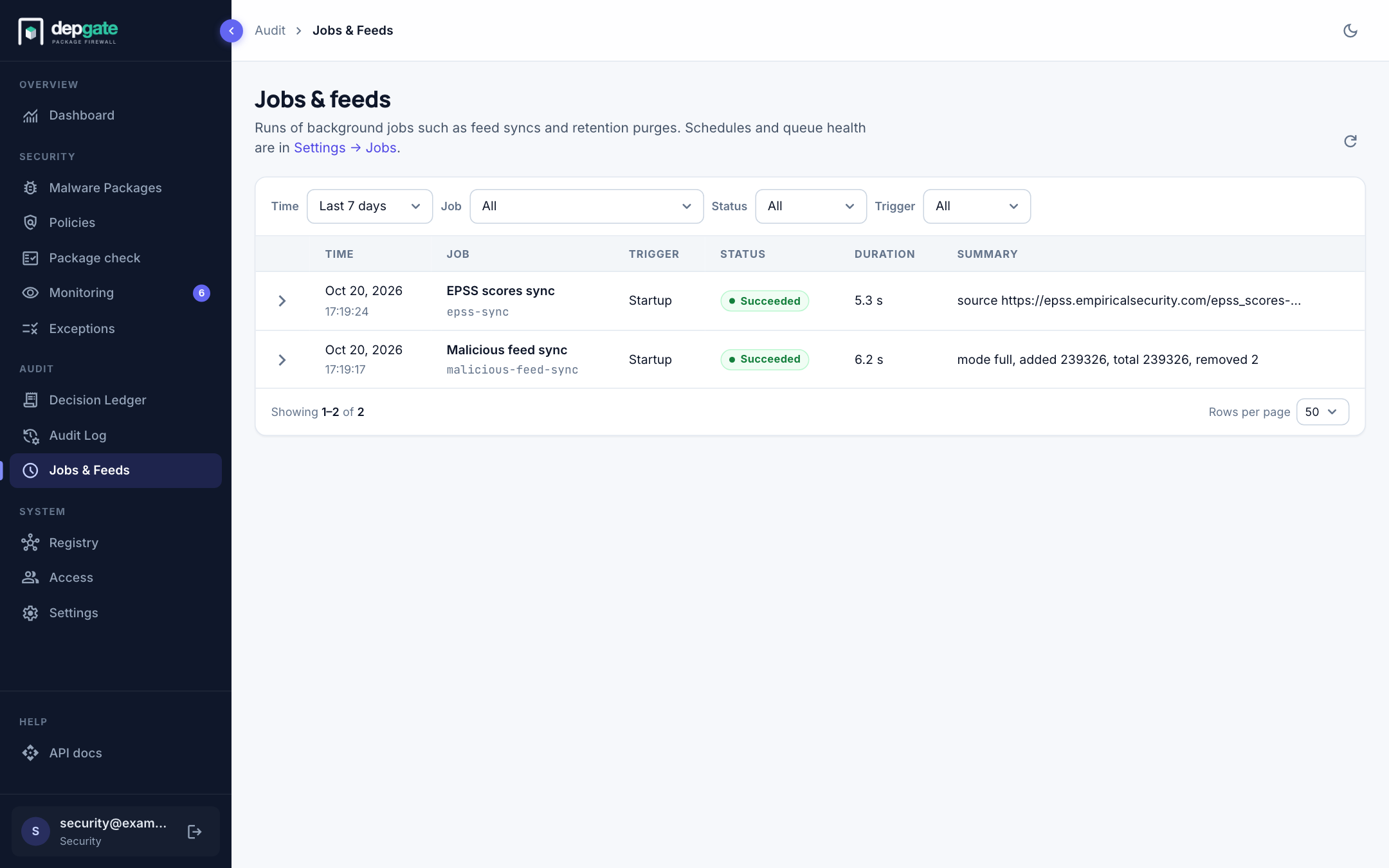
Each row shows when a run started, the job, what triggered it (Scheduled, Run now or Startup), its status (Succeeded, Failed, Skipped or Running), its duration and a summary of the result, such as the number of entries a feed sync added. Choose a row for the run's error and full result. Filter by time range, job, status and trigger.
Runs are kept for 90 days.