
Appearance
Malware packages
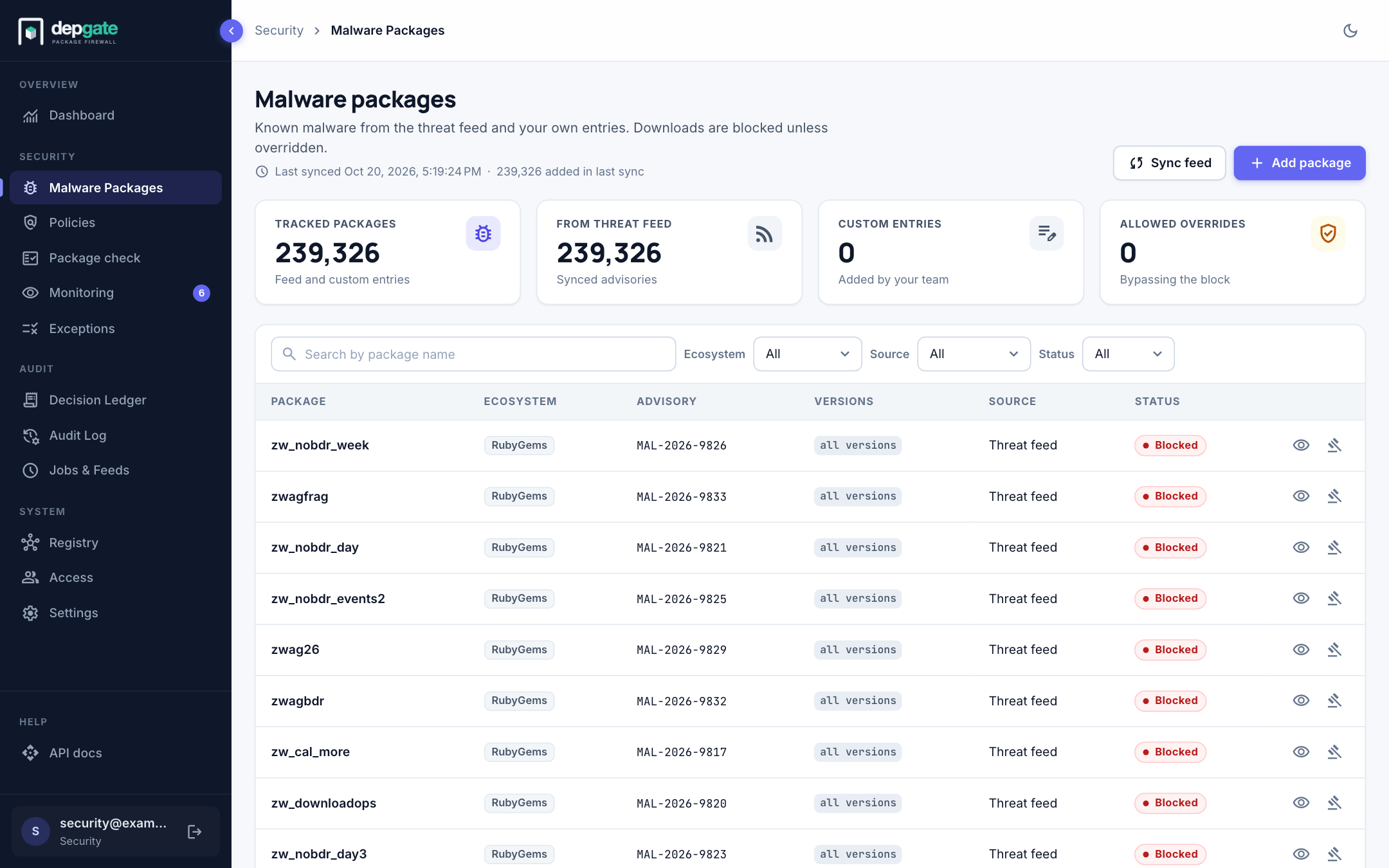
DepGate blocks known-malicious packages before any policy is evaluated. The list combines a community threat feed, which DepGate keeps in sync, with entries your team adds. You can override any entry that turns out to be a false positive.
In the sidebar, choose Malware Packages.
The threat feed
DepGate syncs the open malicious-packages feed, built from the OpenSSF malicious packages data set. It covers npm, PyPI, Go, Maven, NuGet, crates.io and RubyGems, and holds more than 200,000 entries.
- The first sync runs when DepGate starts for the first time.
- After that, the feed syncs every hour (
MALICIOUS_SYNC_INTERVAL_HOURS). Only changes since the last sync are downloaded. - Choose Sync feed to sync now. The header shows when the last sync ran and what it changed.
- Your custom entries and overrides are never changed by a sync.
The summary cards show the total number of tracked packages, how many come from the feed, your custom entries, and the entries you allowed.
Find a package
Search by package name, and filter by ecosystem, source (threat feed or custom) and status. Choose the eye icon on a row to see the advisory, affected versions and details.
Allow a false positive
If an entry is wrong, change its decision:
- Find the package and choose the Change decision icon on its row.
- Enter a Justification, for example "False positive confirmed by the security team".
- Choose Allow package.
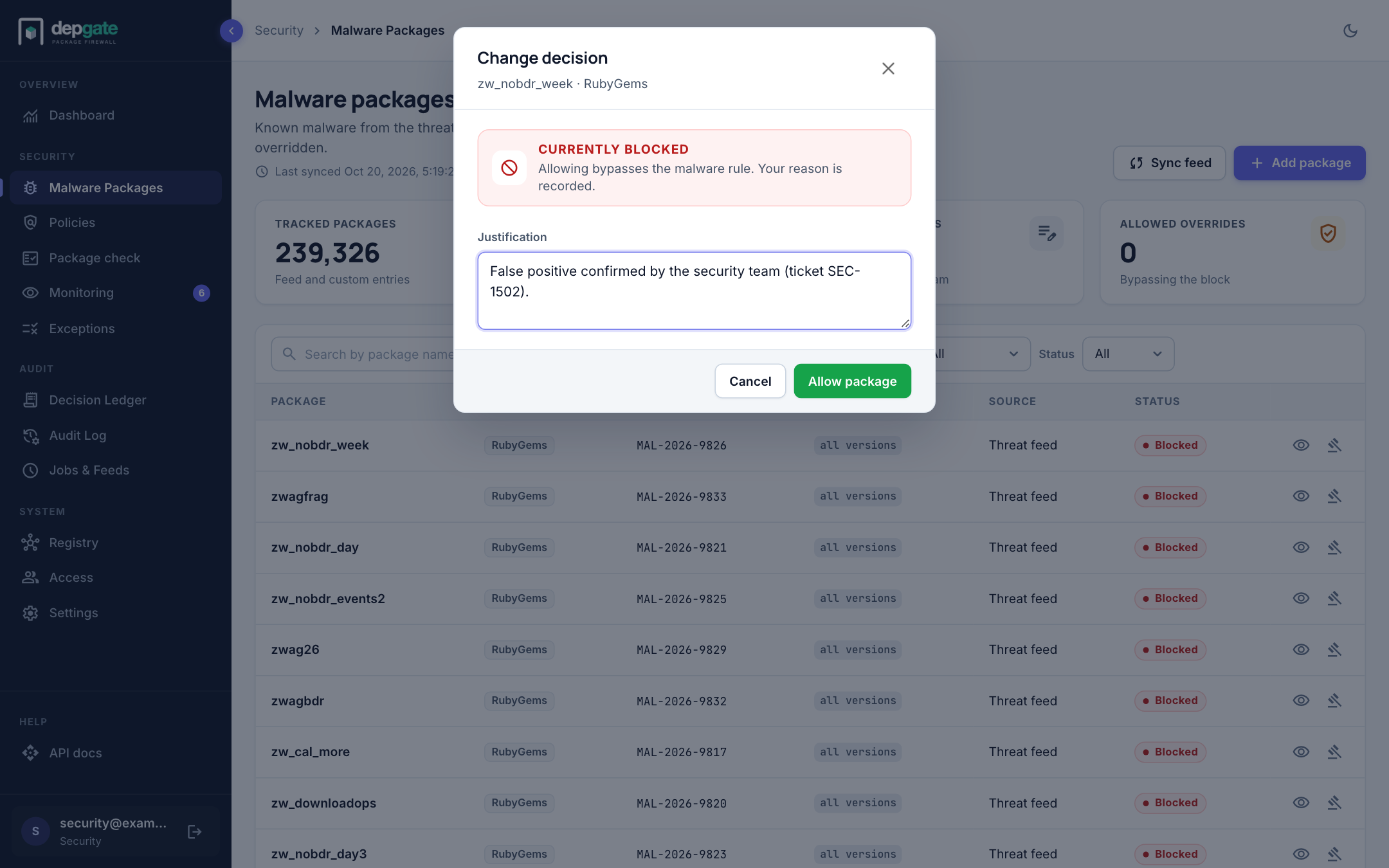
The package is no longer blocked by the malware list. To undo it, open Change decision again and choose Block package. Your policies still apply to it. The override is kept across feed syncs and recorded in the Audit Log.
Add your own entry
Block a package your team has identified as malicious, even before it reaches the feed:
- Choose Add package.
- Enter the ecosystem and the package name. Optionally limit it to some versions; leave Versions empty to block every version.
- Save.
Custom entries can be edited or deleted from their row.
What developers see
A download of a malicious package fails with HTTP 403 and the reason. In Package check, the package shows a Malicious package banner, no version is allowed, and waivers are not offered.
Every request for a package on the list, blocked or let through, is recorded in the Decision Ledger with a Malware tag, and can be sent as a malware_requested webhook.