
Appearance
Request a waiver
When a package version you need is blocked, you can ask the security team for a waiver: a time-limited permission to use that version. If they approve it, DepGate creates an exception and the version installs until the expiry date.
Check for an allowed version first
A waiver is for when no allowed version works for you. Package check usually shows a newer version that is allowed and fixes the issue the policy found.
Request a waiver
In the sidebar, choose Waiver requests, then Request waiver. You can also choose Request waiver on a blocked version in Package check; the form then opens with the package and version filled in.
Fill in the form:
Field What to enter Ecosystem The package's ecosystem. Package name The exact package name. Versions (optional) The versions you need. Add single versions with + Version or ranges with + Version range. Leave empty to ask for every version. Applies to All repositories, or only the repositories you use. Needed until When you expect to stop needing it. The reviewer may choose a different date. Reason What you need it for, and why it is safe. Reviewers decide on this, so be specific: the project, the ticket, and your plan to move off it. Choose Submit request.
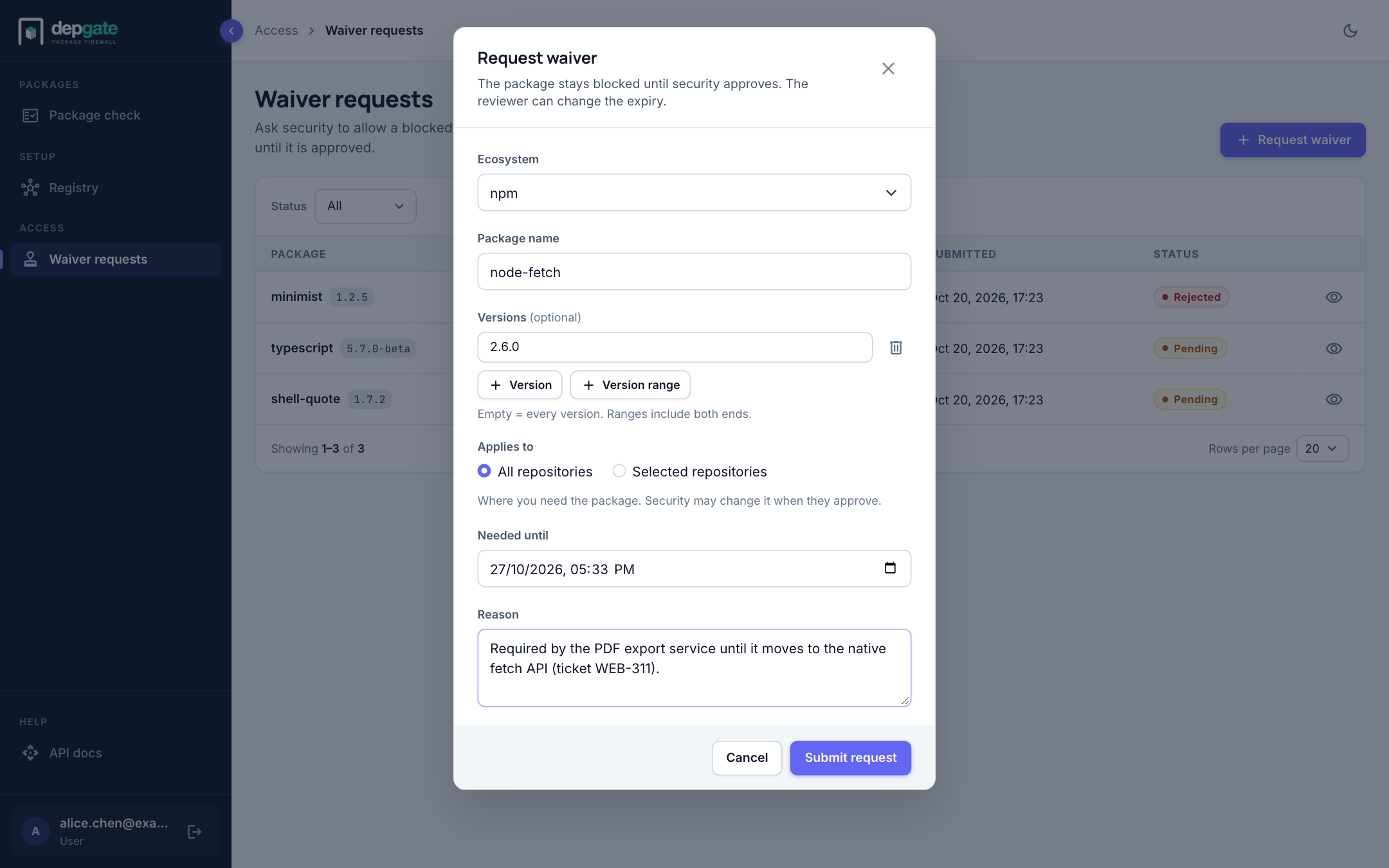
The package stays blocked until a reviewer approves the request.
Track your requests
The Waiver requests page lists your requests and their status. You only see your own.
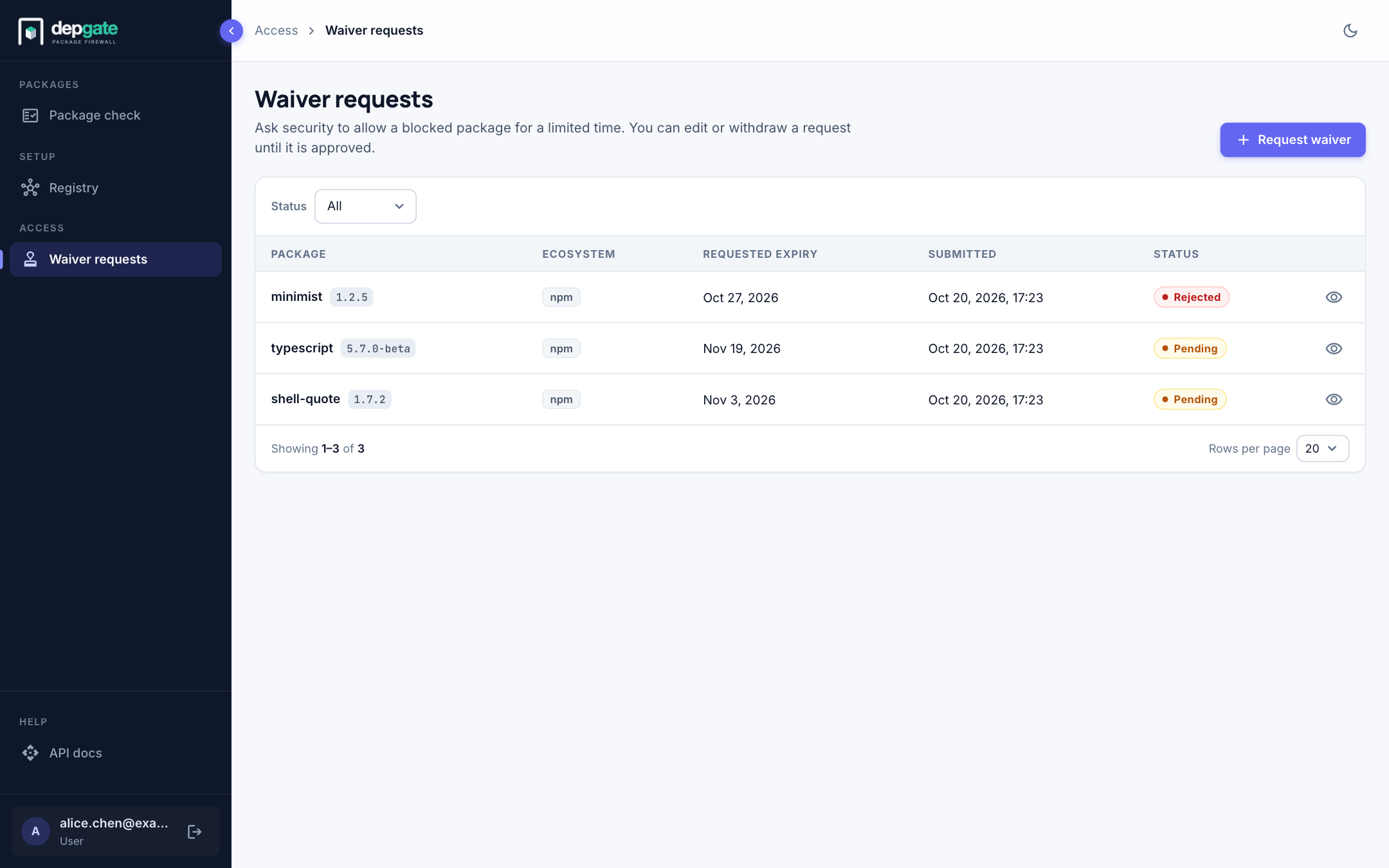
| Status | Meaning |
|---|---|
| Pending | Waiting for a security reviewer. You can still edit or withdraw it. |
| Approved | An exception exists. The package installs until the expiry the reviewer set. The request is now locked. |
| Rejected | Not approved. Open it to read the reviewer's note. Editing a rejected request sends it back for review. |
Choose the eye icon on a request to see its details, including who reviewed it and their note. Edit and Delete are available there until the request is approved.
What happens on approval
The reviewer sets the expiry date and may narrow or widen the repositories. DepGate then creates an exception with those values. The version installs through DepGate until that date; after it, the version is blocked again.
The review process for security teams is described in Exceptions and waivers.