
Appearance
Webhooks
Webhooks send DepGate alerts to other systems as they happen: a chat channel, a ticketing system, or your own automation. Manage them under Settings → Webhooks (Security role). To send every event to a SIEM in batches, use Log streaming instead.
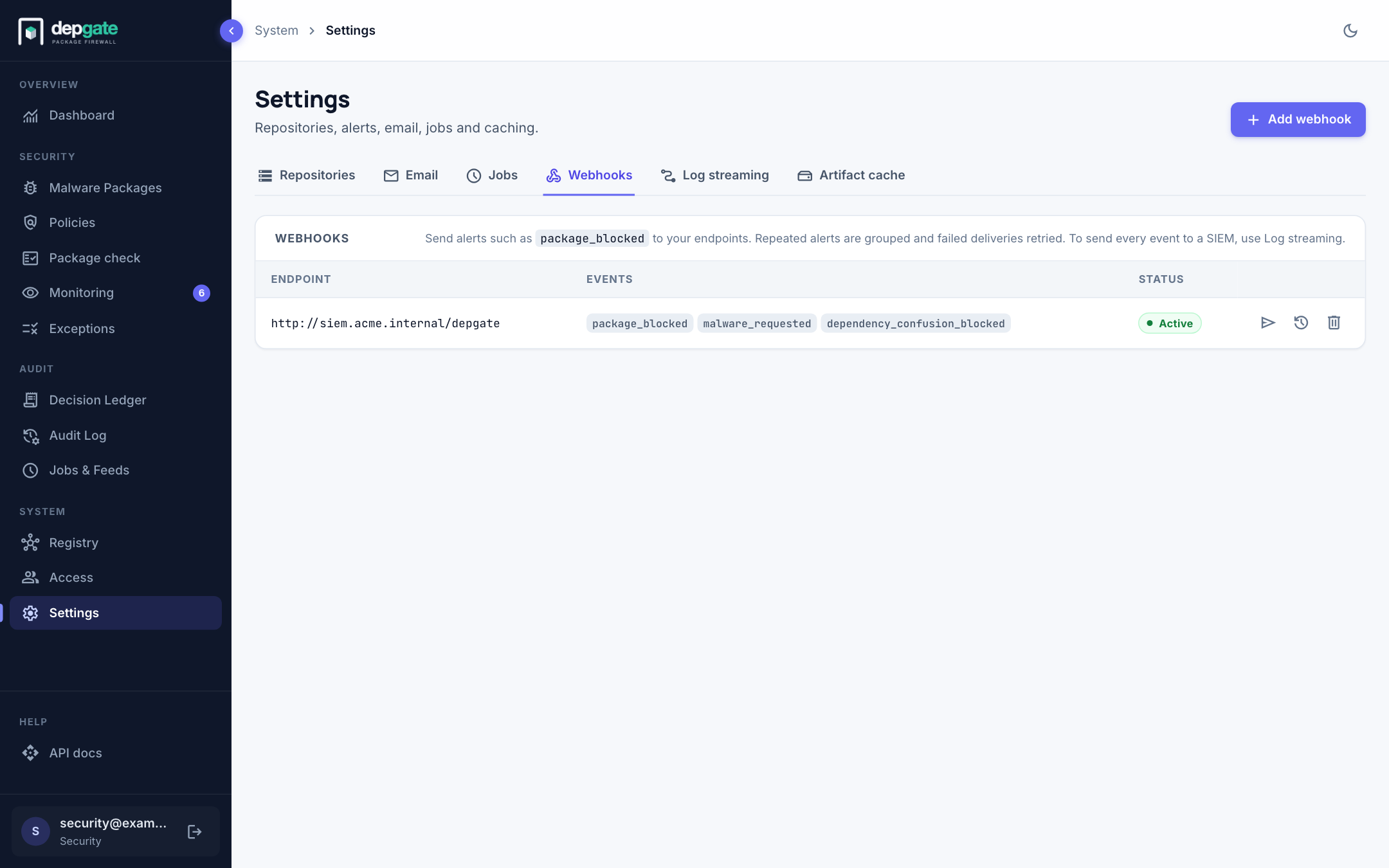
Events
| Event | Sent when |
|---|---|
package_blocked | A download is blocked by a policy, the malware list or namespace protection. |
malware_requested | Someone requests a package on the malware list, whether it is blocked or let through. |
dependency_confusion_blocked | Namespace protection blocks a reserved name from a public registry. |
namespace_collision | The collision check finds one of your internal names on a public registry. |
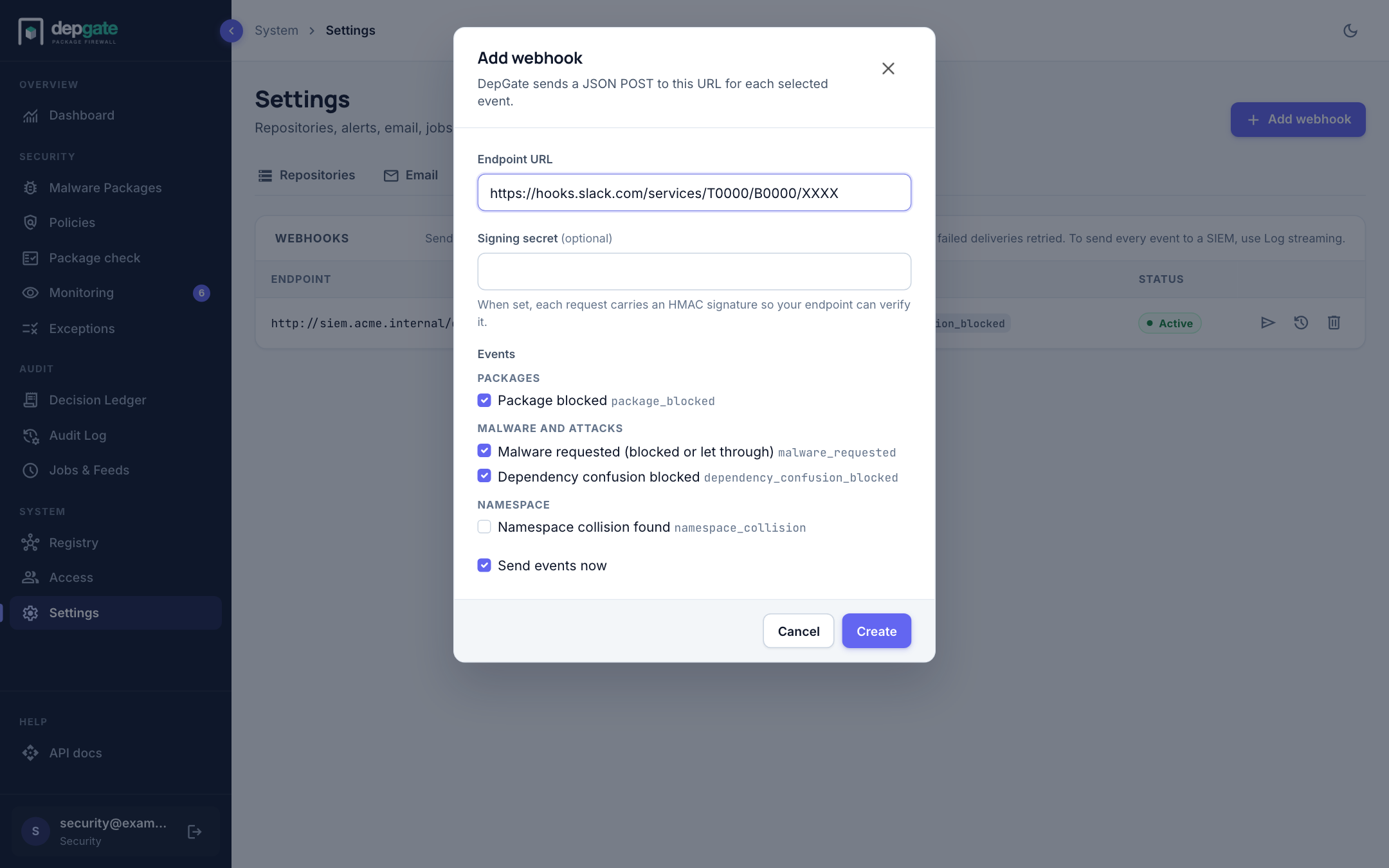
A new webhook sends the first three.
Add a webhook
- Choose Add webhook.
- Enter the Endpoint URL that will receive the events.
- Optionally enter a Signing secret. Each request then carries an HMAC signature your endpoint can verify.
- Select the Events to send.
- Leave Send events now selected and choose Create.
Choose Send test event (the paper-plane icon) to post a test event and see your endpoint's answer immediately.
Payload and headers
DepGate sends an HTTP POST with a JSON body. Each event has a unique, time-ordered ID.
| Header | Contents |
|---|---|
X-DepGate-Event-Id | The event ID (also id in the body). A redelivered event keeps its ID: use it to ignore duplicates. |
X-DepGate-Delivery-Attempt | The attempt number (also attempt in the body). |
X-DepGate-Signature | HMAC-SHA256 of the request body, using the signing secret. Present when a secret is set. |
Verify the signature by computing the HMAC-SHA256 of the raw body with your secret and comparing it with the header. Events are not guaranteed to arrive in order; sort by the timestamp field or the event ID.
Identical package_blocked and malware_requested events within 5 minutes (WEBHOOK_COALESCE_SECONDS) are grouped: the first is sent at once, and one follow-up carries the count and the time of the first and last repeat.
Delivery and retries
- A
2xxanswer counts as delivered. - A timeout, connection error,
408,425,429or5xxis retried up to 8 times with a doubling delay starting at 30 seconds, about 2 hours in total. ARetry-Afterheader is respected up to one hour. - Any other
4xxanswer fails at once. - At most 5 requests per second go to one host.
Delivery history
Choose the history icon on a webhook to open Deliveries: every event sent in the last 30 days, newest first, with its status (Delivered, Retrying, Failed, Skipped) and the exact payload. Choose Redeliver to send an event again with the same event ID.
Failing webhooks
While deliveries keep failing, the list shows how many failed in a row and the last error. After 20 consecutive failures, DepGate turns the webhook off automatically, shows a notice on the Dashboard, and records the change in the Audit Log. Events that occur while it is off are kept as Skipped.
When the endpoint works again, choose Turn on. DepGate offers to deliver the skipped events from the last 7 days, in order, with their original event IDs.